


HOW TO RECRUIT TEAM MEMBERS?
Recruiting team members is a feature available exclusively to team captains and members (based on organization preference and configuration), empowers you to grow your team and share your team page effortlessly. You have two options for inviting others to join your team:
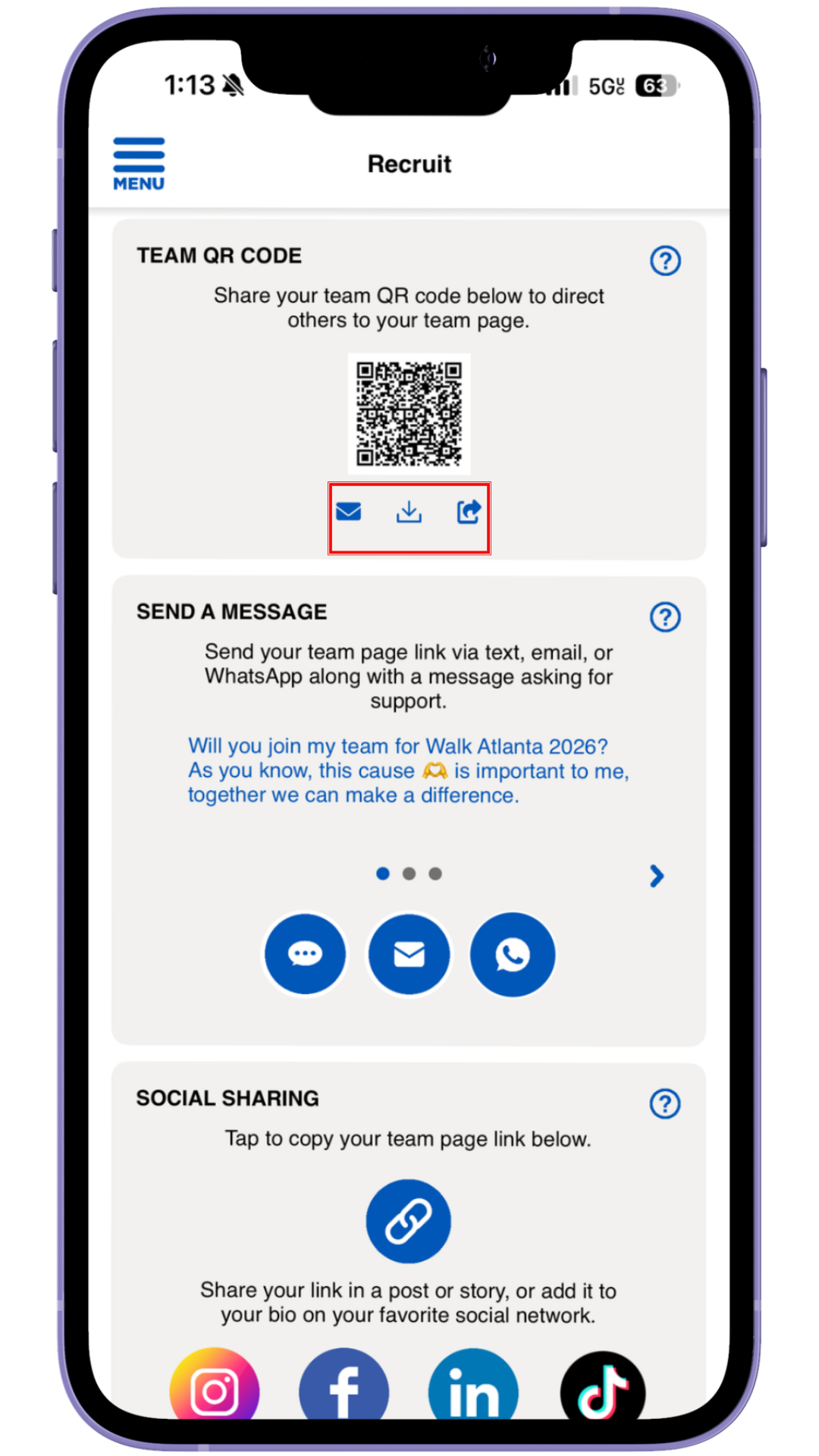
1. Using a QR Code:
You can generate a unique QR code that potential team members can scan to easily join your team. You can email the QR code, save the QR code to your camera roll, or share the QR code via your device sharing options
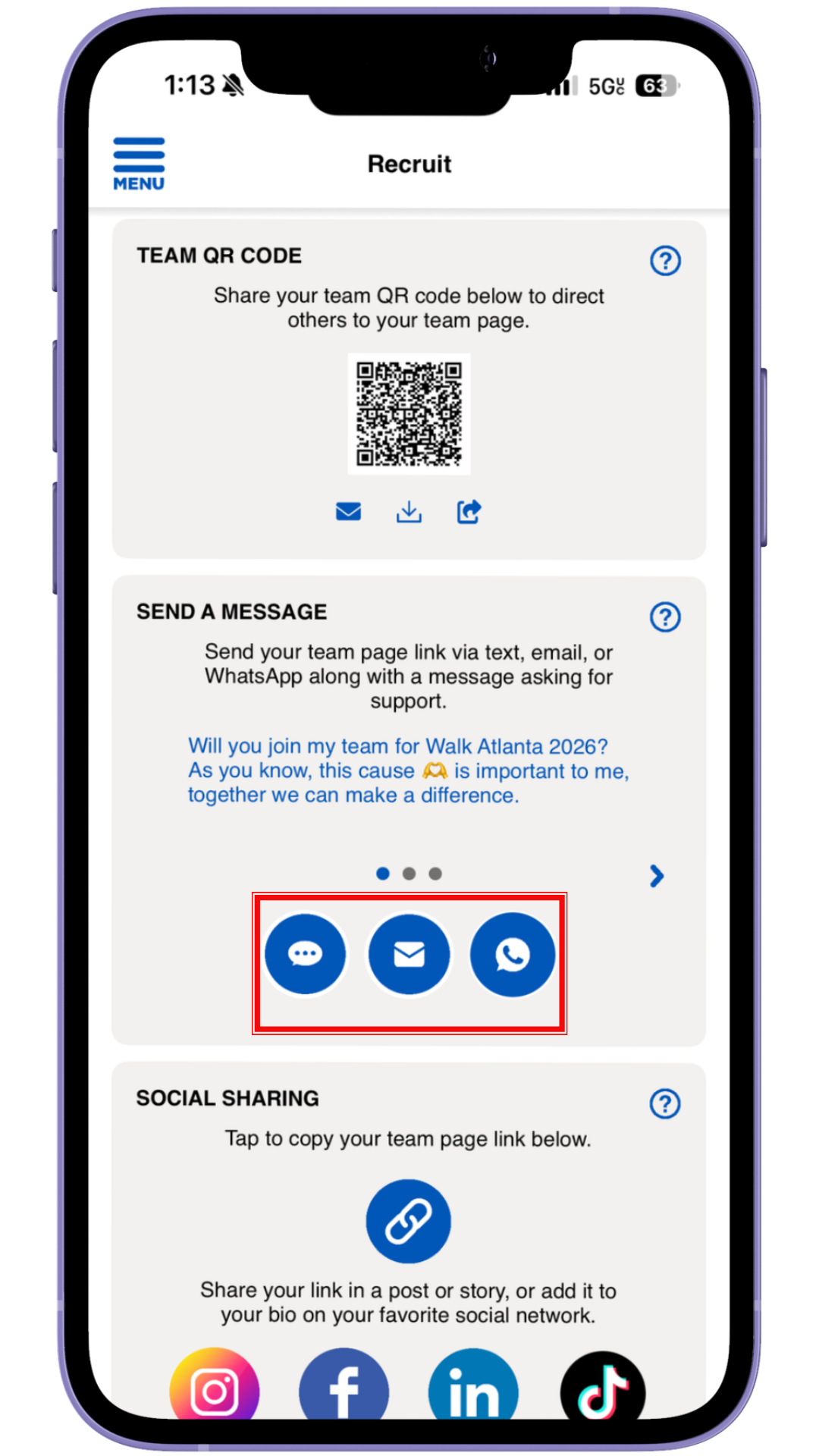
2. Sending a Personalized Message:
Alternatively, you can send a personalized message via your preferred social channel (such as Facebook, Twitter, or Instagram) with a direct link to join your team. Swipe on the carousel to explore all the different recruit messages available.
Next Article


